- Published on
Personal Portfolio Website in React JS
6 min read
- Authors

- Name
- Yogesh Sitaram Dhuri
- @yogesh_6864
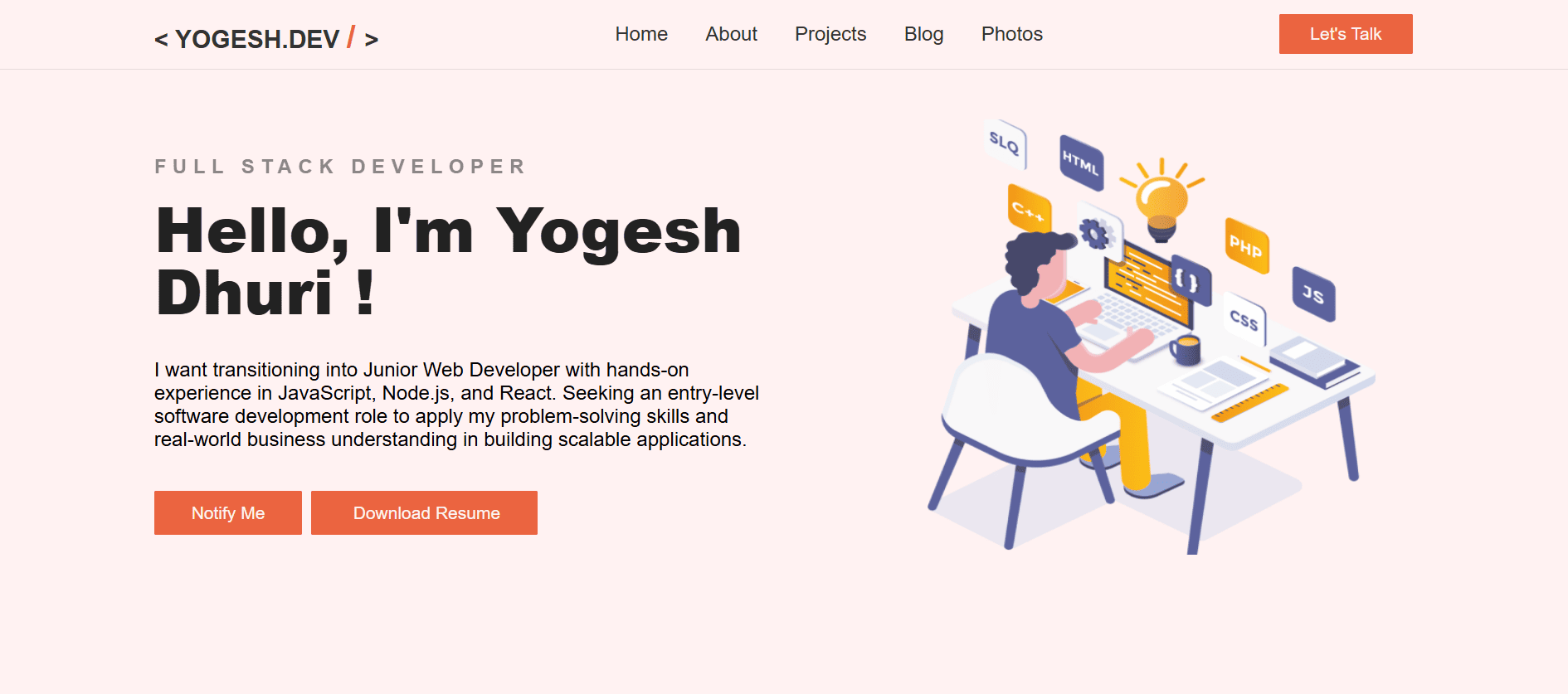
Personal Portfolio Website
My Approach
✅ Markdown-based blog (stored locally in repo)
✅ Static content, dynamic UI
✅ SEO-friendly structure
✅ Easy to scale later (CMS / API if needed)
✅ Figma for UI design
Tech Stack
✅ React (UI)
✅ Vite (fast build & dev)
✅ React Router (routing)
✅ Markdown files (.md) for blog posts
✅ gray-matter (frontmatter metadata)
✅ remark / react-markdown (render markdown)
✅ Giscus for comments or discussion
✅ Tailwind
✅ Figma
Folder Structure
└── src/
    ├── assets/
    │   ├── font/
    │   ├── icon/
    │   ├── image/
    │   ├── pdf/
    │   ├── thumbnails/
    │   └── index.js
    ├── blogs/
    │   ├── 2025/
    │   │   └── sample/
    │   │       └── sample.md
    │   ├── blogService.js
    │   ├── markdownParser.js
    │   └── MarkdownRenderer.jsx
    ├── components/
    │   ├── Footer.jsx
    │   ├── BlogCard.jsx
    │   └── Header.jsx
    ├── constants/
    │   └── index.js
    ├── layout/
    │   └── Root.jsx
    ├── pages/
    │   ├── Landing.jsx
    │   ├── BlogPost.jsx
    │   ├── BlogList.jsx
    │   └── Photos.jsx
    ├── routes/
    │   └── router.jsx
    ├── section/
    │   ├── Home.jsx
    │   ├── About.jsx
    │   ├── Skills.jsx
    │   ├── Project.jsx
    │   └── Contact.jsx
    ├── utils/
    │   ├── hooks/
    │   │   └── useMetadata.js
    │   ├── MetadataProvider.jsx
    │   └── MetadataContext.jsx
    ├── App.jsx
    ├── main.jsx
    └── index.css
Why I chose React + Vite for my portfolio
- When I started building my personal portfolio, I wanted more than just a static website. I wanted something fast, modern, and future-proof .
- Create react app was to old and outdated that was the first reasons and Vite provide fast development experience.
- Vite provider Hot Module Replacement (HMR) that updates UI without full reload
- Also React official documents are suggest Vite.
- I use react in my project because i have prior knowledge of React JS .
- React use components based approach and this components are used many times.
- If i want to update my website in future then it was easy for me because of next.js .
Store blog content as .md (Markdown) files
- It was easy to editing and no HTML duplication.
- It supports code block, Tables, Syntax highlight. We use some dependencies for that like rehype-highlight, rehype-raw etc.
- Use grey-matter dependency for convert .md from object and react-markdown use for render markdown content on jsx or webpage.
- I just store all blog in markdown file and file are saved in own repo on blog folder.
- I create separate scripts for get content of markdown and show on jsx.
Markdown Blog Format
---
title: "Designing a Minimal Portfolio"
date: "2025-01-05"
description: "How I designed my personal portfolio"
tags: ["ui", "portfolio", "design"]
cover: "/images/portfolio-cover.png"
---
## Introduction

This is my design process...

### Color Choices

I used neutral colors because...
Why i choose in Repo database
- It is great for personal/small blogs: versioning, easy CI/CD, cheap, simple. Best for mostly text content and small images.
- No backend or database to manage.
- I use because i am a single author, mostly text posts, comfortable with Git, want a fast low-cost setup.
- At the present time i only fetch the blog in my directory but in future i create dashboard and in that i perform all operations like edit, delete etc.
- It was Lowest cost & easiest: GitHub repo + React + Vercel + images in repo (small).
Why i use Tailwind CSS.
- It’s faster, more maintainable, and scales better for a real production project even for solo developers.
- It is very useful if we use react.js because of we can immediately write style in tag using utilities.
- We cannot gave any classname for any tag instead of we gave utility class
- If in project have massy markup issues then its solved by using @apply or group class logically
- It has smaller production bundle than pure css.
- Caution - It is better start one section and style it also gave responsiveness for that section and use mobile first approach for styling.
- Because we faced more difficulties at the time of responsiveness. i made website for desktop first and all web page are style without responsiveness.
- In my first version, we can manage all section styles separately and it was hard to manage.
- We can add custom style or fonts are add in Tailwind css.
For routing
- I use React-router for routing, React Router treats routes as components, not configuration blobs.
- You can use hooks (useParams, useNavigate) like normal React code
- Conditional rendering, layouts, guards = just React
- React Router provide structural layout for production level website.
- Routing Strategy: /blog → BlogList and /blog/:slug → BlogPost
Comments on my Blog
- I use giscus for my comment section because configuration was easy and no backend use.
For SEO-friendly
- I use react-helmet-async for meta tags
- using react-helmet-async and context i create useMetadata hook for my pages.
Deployment
- My website deploy on Vercel because process was to easy and free.
- If i want change push in my github repo then automatically my website because of my repo are conneted in vercel account.
- At the time we deployed my website we gave error and those error was github, the github was change my file name means casing and was gave error message.
Next Step
- This website is currently built using React with a fully client-side architecture. While this setup is simple and flexible for a personal project, there are clear improvements that can be achieved by migrating to Next.js with typescript in the future.
References
Conclusion
- It exists as a development journal where I document decisions, problems, and solutions while building my personal website using React.
- Using markdown files inside the project keeps everything simple, version-controlled, and tightly connected to the actual codebase. There is no CMS, no automation, and no unnecessary abstraction — every post is intentional and written in my own workflow.
- This approach keeps the blog honest, useful, and maintainable, which is exactly what I want from a personal developer journal.